You're probably here because you typed your business name into Google, saw a weak listing, no listing, or a competitor showing up above you in Maps, and thought, “I need to fix this now.” That's common in Grandview. A customer standing near Main Street, heading home from work, or planning a stop after a day near Longview Lake isn't browsing ten websites. They're tapping the business that looks real, complete, and easy to contact.
That's why learning how to get a Google business listing matters. For a local shop, contractor, clinic, or home-service company, your Google Business Profile is often the first impression. It can show your hours, calls, directions, reviews, photos, and the exact service category Google uses to decide whether you belong in a local search.
If you want a strong local starting point beyond Google itself, the Grandview Guide home page is a useful place to stay connected to what residents and visitors are already using to find local information in Grandview, MO.
Table of Contents
- Why Your Grandview Business Needs a Google Listing
- Creating Your Initial Business Profile
- Navigating the Google Verification Process
- Optimizing Your Profile to Attract Grandview Customers
- Troubleshooting Common Verification and Listing Issues
- Advanced Tactics to Dominate Grandview Local Search
Why Your Grandview Business Needs a Google Listing
A Google listing isn't just a directory entry. It's the thing a customer sees before they decide whether to call, drive over, or keep scrolling.
If someone in Grandview searches for a roofer, bakery, auto shop, or tax preparer on their phone, Google usually shows a map result before a traditional website result. That means your profile often does more selling than your homepage. Customers use it to judge whether you're nearby, open, established, and worth contacting.
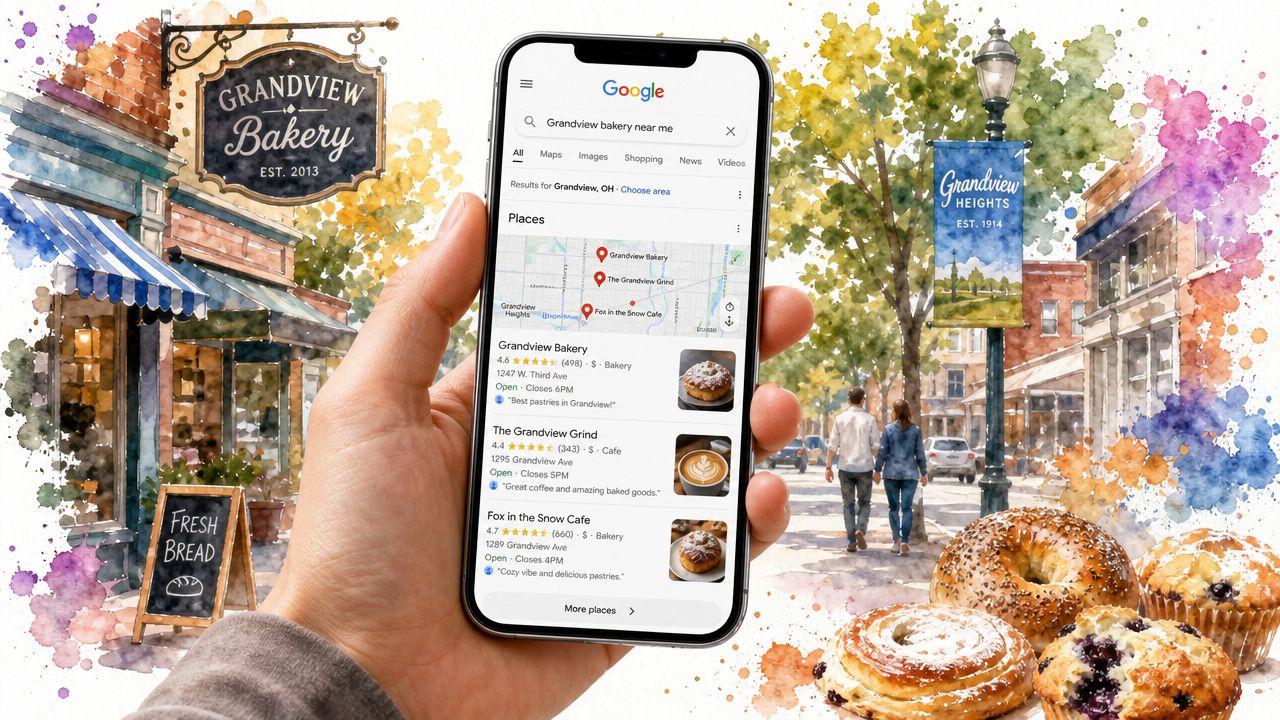
For Grandview businesses, this gets practical fast. A family looking for dinner, a homeowner searching for HVAC help, or a visitor passing through the area usually won't dig for details. They want the business with clear hours, a working phone number, solid photos, and enough trust signals to feel safe clicking.
What customers see before they ever visit your website
A strong profile can show:
- Your core details like business name, phone, website, and hours
- Action buttons for calls, directions, bookings, messages, or menus depending on your category
- Social proof through reviews and owner responses
- Visual proof through photos of your storefront, team, work, or products
That combination matters because local buying decisions are often quick. The business with the cleaner profile usually gets the first shot.
Practical rule: If your Google listing feels incomplete, customers assume your operation is incomplete too.
Why this matters more in a city like Grandview
Grandview isn't so large that people expect confusion. If your information is wrong, missing, or inconsistent, people notice. They may move to a competitor immediately. In a local market, trust is often built from tiny details. Open hours. Correct location type. Clear categories. Recent photos. Prompt review responses.
That's also why a Google Business Profile isn't optional anymore. It's your digital storefront on Google Search and Google Maps, and for many small businesses, it's the shortest path between a local search and a new customer.
Creating Your Initial Business Profile
A Grandview owner usually hits the same moment. You search your business on Google, see an old address, a duplicate listing, or nothing at all, and now you have to decide whether to claim, clean up, or build from scratch. The setup itself is not hard. Choosing the wrong profile type, category, or address format is what creates headaches later.
Start by checking whether Google already has you
Search your exact business name in Google Search and Google Maps before you create anything. In Grandview, I regularly see profiles that were auto-generated from public records, old directories, or prior tenants at the same address. If you build a fresh listing on top of that, you can end up with duplicate profiles, split reviews, and extra verification friction.
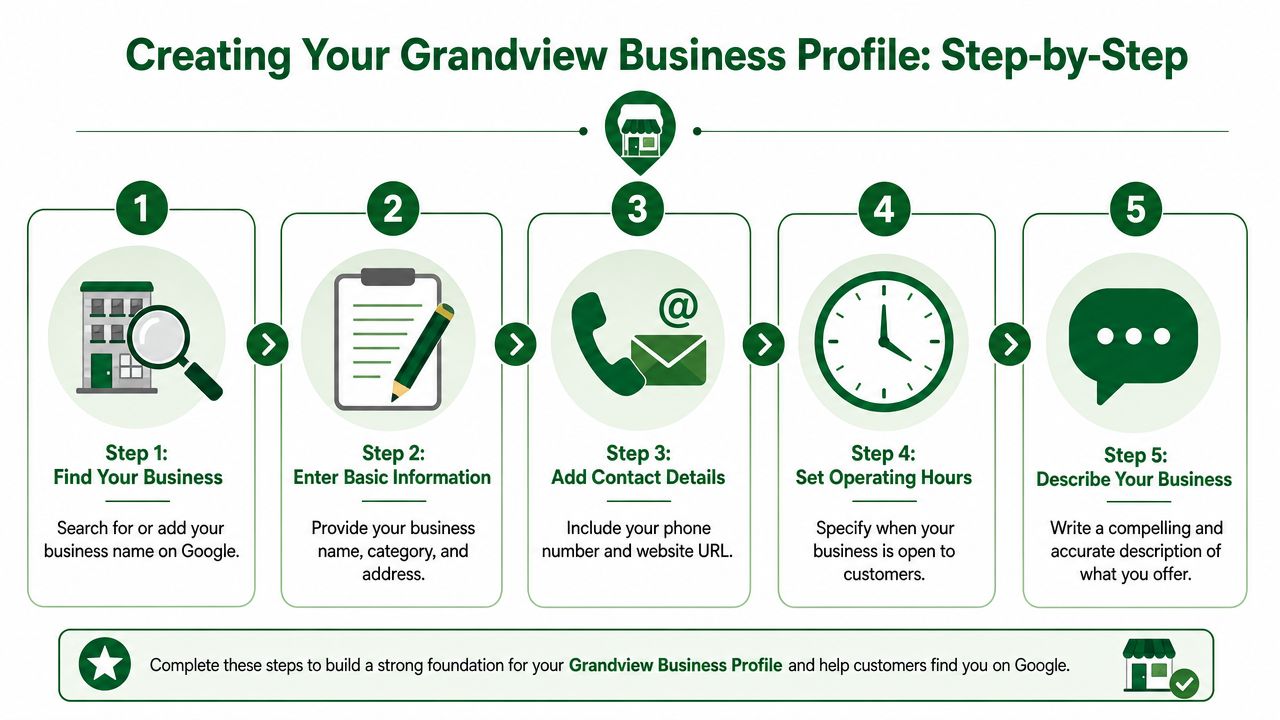
Use a simple process:
- Search your exact business name and street address.
- Look for an existing claimed or unclaimed profile.
- Claim the existing profile if it is yours.
- Create a new profile only if no legitimate listing exists.
- Check every detail one more time before you submit anything.
If you want another local citation source after your Google profile is live, the Grandview services directory for local businesses is one place to keep your business details consistent.
This walkthrough gives a good visual overview of the setup flow before verification starts:
Choose the profile type Google expects
Set the profile up based on how customers interact with your business.
A storefront should show the address customers visit during stated business hours. A service-area business should hide the street address if customers do not come there. That applies to many Grandview contractors, mobile service providers, cleaning companies, consultants, and home-based operators.
According to The Management Team's guide to setting up a Google Business Profile, service-area businesses should select the option that indicates they do not serve customers at the listed location, then define their service areas instead of forcing a hidden office or home address into a storefront setup.
That one choice affects everything that follows. If a mobile business pretends to be a walk-in location, Google may ask for proof you cannot easily provide, and customers may show up at a place where no one is available.
Build the profile around the real customer experience, not the address you happen to receive mail at.
Fill out the fields that carry the most weight
The primary category deserves more care than any other field. In practice, it tells Google what searches you should appear for and which competitors you belong next to. A Grandview roofing company should not pick "contractor" if "roofing contractor" is available. A Mexican restaurant should not stop at "restaurant" if "Mexican restaurant" fits.
Use this standard when you choose your category and core details:
- Pick the most specific primary category that matches your main revenue service.
- Add secondary categories only when they describe real services you already offer.
- Use your actual business name only. No city names, slogans, or service keywords stuffed into it.
- Enter one local phone number you will answer.
- Add your real website URL, not a broken homepage or social link if you have a working site.
- Set hours you can maintain consistently, including holiday adjustments when needed.
Then write the description like a credible local business owner would speak. Mention what you do, who you serve, and what makes your operation different in Grandview. Skip the keyword pileup. A clear description with accurate details does more for conversion than a clumsy attempt to sound optimized.
One more practical point. Keep your business name, address, and phone number formatted the same way everywhere you control them. Small mismatches do not always break a profile, but they create extra confusion when Google compares your details across the web.
Navigating the Google Verification Process
A lot of Grandview owners get stuck here.
The profile is built, the category is set, and then Google asks for proof that the business is real and controlled by the right person. That step frustrates people because the options are limited, the rules are not always obvious, and one careless edit can send you back to the start. I see this most often with home service businesses, shared offices, and companies using an address that does not clearly match what appears elsewhere online.
Google decides which verification methods your profile can use based on your business type, address history, category, and how confident it is in the listing. According to Instant Press on Google Business listing creation, common options include postcard, phone or SMS, email, and video verification, and the timing can range from a few minutes to several days.
How the methods compare
Here's the practical version.
| Method | Typical timing | Best fit | Watch-outs |
|---|---|---|---|
| Postcard | Several days to two weeks | Storefronts and many standard local businesses | Mail gets missed, and profile edits can delay approval |
| Phone or SMS | A few minutes | Businesses Google already trusts enough to verify quickly | Complete it right away before the option disappears |
| One to two days | Businesses with a monitored business email tied to the profile | The message can land in spam or go to the wrong inbox | |
| Video verification | Often same day if prepared | Service-area businesses, newer listings, and profiles needing stronger proof | You need signage, workspace access, tools, and ownership proof ready before you start |
What slows verification down in Grandview
The biggest mistake is changing profile details while verification is pending. If Google has already started checking one version of your business information, even a minor tweak can create a mismatch and stall the process.
Leave the profile alone until verification finishes.
Mail-based verification has its own problems. Postcards go to the wrong suite, get tossed with junk mail, or sit at a front desk where nobody knows they matter. If you work out of a multi-tenant building, tell whoever handles mail to watch for anything from Google. That one heads-up saves a lot of repeat requests.
Address issues also trip people up. If your website says "Suite B" but another directory says "Ste B" and a third leaves the suite off entirely, Google may still verify you, but it can add friction. For businesses trying to build local trust in neighborhoods people already recognize from this guide to living in Grandview, clean location details matter more than owners expect.
Choose the best option Google gives you
You cannot force a preferred method, but you can set up for the one Google offers.
- Postcard: Confirm the address format before requesting it. Then wait. Do not edit hours, phone number, or category while the code is in transit.
- Phone or SMS: Use a number you can answer directly, not a line that routes through too many menus or staff handoffs.
- Email: Check that the inbox is active and tied to the business domain when possible.
- Video: Stage the proof before you begin. Have exterior signage, interior workspace, equipment, branded materials, and business documents ready.
Video verification causes the most stress, but it is usually manageable if you prepare properly. Google often wants to see that you have real access to the location and that the business operates there. For a Grandview contractor, that may mean showing a work vehicle, tools, business cards, and the outside of the property in one uninterrupted session. For a storefront, clear signage and the ability to enter the space usually matter most.
One more local shortcut. If your signage is temporary, missing, or hard to spot from the street, fix that before requesting video verification. In my experience, weak signage causes more avoidable delays than owners realize, especially in mixed-use areas and business parks where multiple tenants share the same frontage.
Optimizing Your Profile to Attract Grandview Customers
Verification gets you on the map. Optimization is what gets the call from the customer who is comparing three businesses at once on a phone in a parking lot off Main Street.
That decision usually happens fast. If your profile looks half-finished, has weak photos, vague services, or stale reviews, Grandview customers move on without giving you a second chance.
Build a profile that answers buying questions
A good profile removes doubt. It shows what you do, where you work, who you help, and why someone should trust you enough to contact you today.
One practical benchmark from UENI's guide to Google Business Profile setup and optimization is to build review volume steadily and add a healthy set of real business photos. I agree with the direction, but I would stress quality over chasing a number. Ten weak photos taken in bad lighting do less for you than six clear images that show your storefront, staff, completed work, and what a customer will see when they arrive.
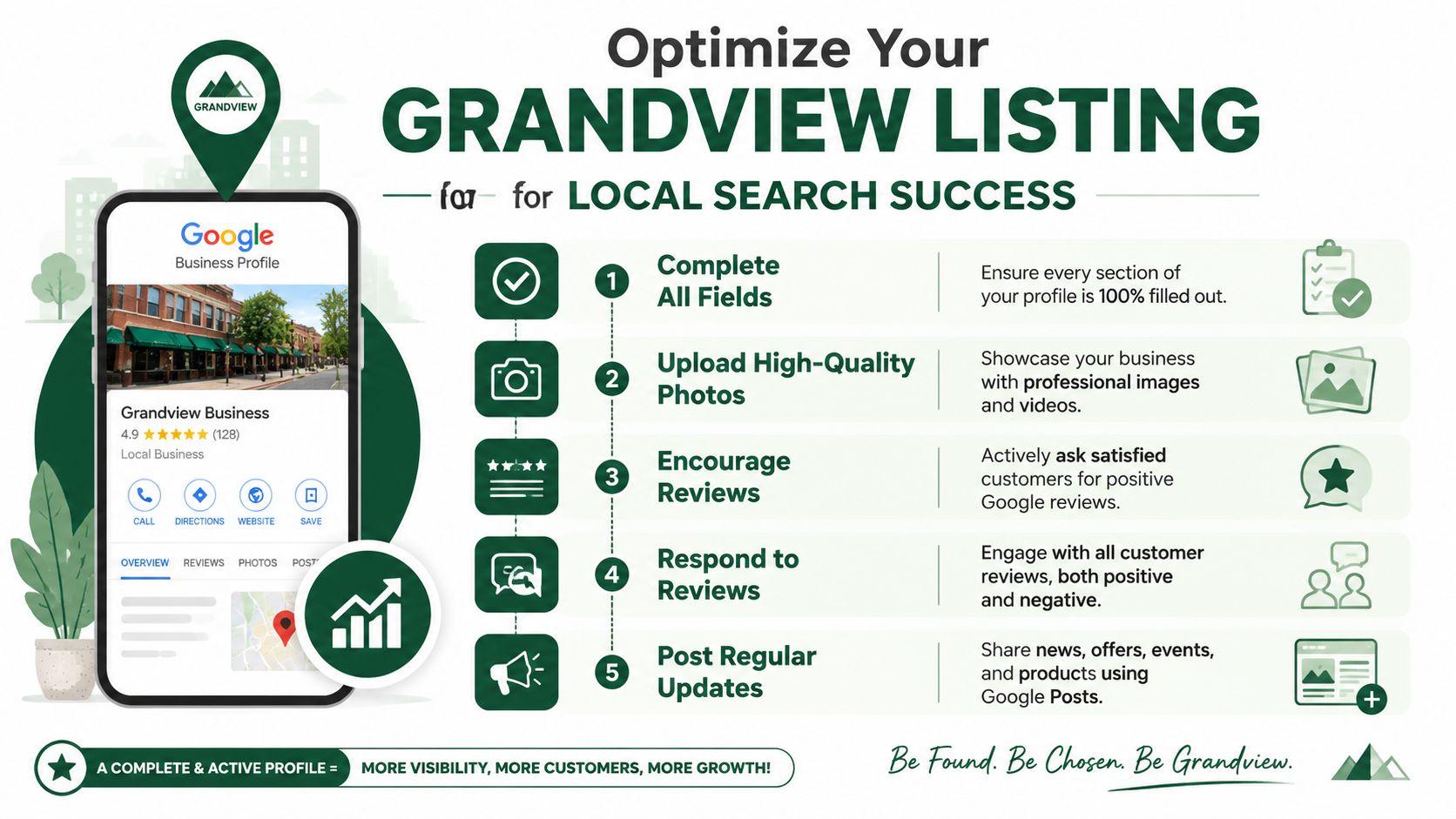
Start with the parts customers check first:
- Photos that prove the business is real. Use current exterior shots, interior photos, team photos, and service or product photos. In Grandview, this matters even more for businesses in strip centers, shared buildings, and low-visibility business parks where customers want reassurance before they drive over.
- A precise primary category. This is one of the strongest local ranking signals you directly control. Pick the closest match to your main revenue service, not the broadest option.
- Services and products filled out in plain language. List the actual jobs you want to sell. Skip jargon.
- A business description written for humans. State what you do, who you serve, and what makes your process different locally.
- Attributes, hours, and contact details kept current. Wrong hours and old phone numbers waste leads.
Reviews need a system too. Ask right after the job, sale, or appointment, while the customer still remembers the details. Then reply like a real owner, not like a template. Specific responses help conversion because future customers read them to judge how you handle people.
For local businesses serving families, commuters, and long-time residents, the community patterns described in this guide to living in Grandview neighborhoods and daily life can help you shape better photos, service descriptions, and review requests around how customers shop here.
Use performance data to tighten weak spots
The Performance tab is more useful than many owners realize. It shows whether people found you through direct name searches or broader discovery searches, and whether they took action by calling, clicking, or requesting directions.
That matters because different patterns point to different problems.
- Lots of views but few calls often means your offer is unclear, your reviews are thin, or your photos do not build confidence.
- Strong direction requests usually mean the listing is doing its job for in-person traffic, so parking visibility, entrance photos, and accurate hours matter even more.
- Heavy branded search and weak discovery search usually means people already know your name, but Google does not yet see you as a strong answer for category searches.
I see one mistake often. Owners keep editing random fields without checking whether those edits improve calls, direction requests, or website clicks. A better approach is to make one meaningful change at a time, such as adding stronger job photos, tightening categories, or expanding services, then watch the next few weeks for movement.
What strong Grandview profiles do better
The best profiles in this market feel active and trustworthy.
They have recent photos. They answer common pre-call questions. They collect reviews steadily instead of in bursts. Their categories match the actual business. Their description sounds like a local company, not a generic directory listing.
For service-area businesses, strong optimization also means showing proof of real work in and around Grandview. Before-and-after project photos, branded vehicle shots, and review responses that mention the type of job you completed can all improve trust. For storefronts, the details are different. Clear entrance photos, updated holiday hours, and a visible exterior sign often do more than a polished logo.
A complete profile helps in two ways. It gives Google better context about your business, and it gives customers fewer reasons to hesitate.
Troubleshooting Common Verification and Listing Issues
A Grandview owner can fill out every field correctly, follow the prompts, and still end up staring at a failed verification screen. That happens more often than Google admits, especially for service businesses, home-based operators, and companies that recently changed addresses, phone numbers, or names.
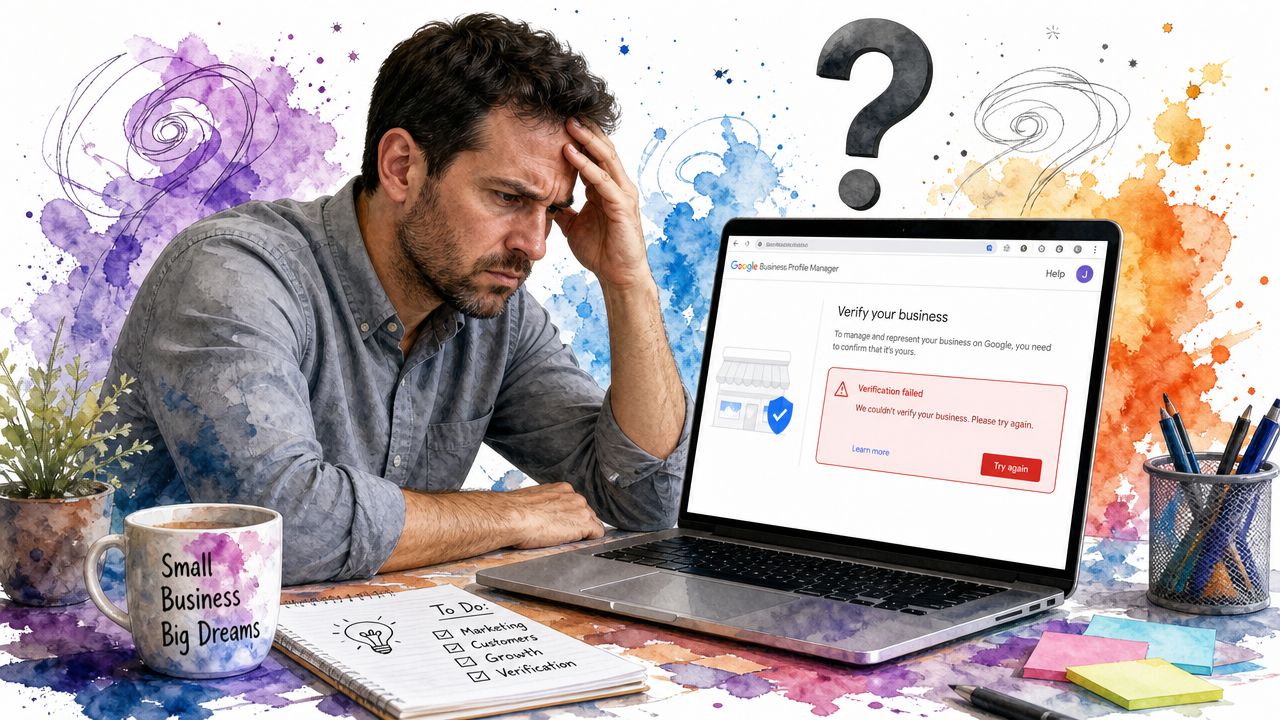
Why legitimate businesses get stuck
The problem usually is not that the business is fake. The problem is that Google cannot quickly match what it sees in your profile to what it finds across public records, your website, maps data, and the verification proof you submit.
I see this in Grandview with contractors working from home, mobile businesses that serve the whole south Kansas City area, and storefronts inside shared buildings where the suite signage is weak. A real business can still trigger Google's risk filters if the address format is inconsistent, the business category does not match the website, or the verification video does not clearly show ownership.
Support is another frustration point. A Reddit thread from small business owners describes how hard it can be to reach an actual person and how easy it is to fail video verification if the recording does not clearly show location, tools, signage, and business documents in one pass, as described in this support-focused discussion.
What to check before you retry verification
Do not rush into a second or third attempt. Repeated failed attempts can slow things down and create more confusion inside the profile.
Start with the basics that cause the most trouble:
- Business name: Use the business name exactly as customers see it on your sign, website, invoices, and legal paperwork.
- Address: Make sure the street address, suite number, and ZIP code match everywhere they appear online.
- Category: Pick the closest primary category to the core service you sell, not the one with the biggest search volume.
- Website signals: Your site should show the same business name, city, phone number, and services listed in the profile.
- Public visibility: If customers visit the location, your sign and entrance need to be visible. If you are a service-area business, hide the address and set up the profile that way.
That last point matters. Home-based businesses often get stuck because they try to verify as if they were a storefront.
If your video verification fails
Video verification is where many legitimate Grandview businesses lose momentum. Google wants a quick, believable connection between the business, the location, and the person managing the profile.
Before recording again, gather proof in advance:
- A permanent sign, window graphic, or office door label if you have one
- Branded truck, trailer, tools, uniforms, or job materials
- Utility bill, business license, or other document that matches the business details
- Access proof, such as opening the shop, office, or work vehicle during the recording
Keep the video simple. Show the street number, exterior, interior workspace if applicable, branded materials, and something that proves you control the business. If you operate from home and do not meet customers there, focus on service tools, business documents, and branded equipment instead of trying to make a residence look like a storefront.
If your listing gets suspended
Suspensions usually come from avoidable edits. The big one is stuffing extra keywords into the business name. Google's Business Profile guidelines are clear that your name should reflect your real business name, not a list of services and city terms.
If your official name is “Smith Heating,” leave it there. Do not turn it into “Smith Heating Grandview HVAC Repair Emergency Furnace Service.”
That kind of edit is one of the fastest ways to trigger a review.
Other common suspension triggers include switching from a service-area business to a storefront without real signage, using a virtual office, creating duplicate profiles, or changing core details too many times in a short window. If suspension happens, stop editing. Collect your documents first, then submit the reinstatement request with matching business information across every asset you control.
A practical recovery process
This is the process I use to keep problem listings from getting worse:
- Pause all nonessential edits so the profile history stays stable.
- Screenshot everything including errors, missing verification options, and suspension notices.
- Audit your NAP details across your website, social pages, and major directory mentions.
- Match your proof documents to the exact business name and address shown in the profile.
- Retry with one clean verification method instead of bouncing between options.
- Document each support contact with dates and case IDs.
If your visibility is stalled while verification drags on, keep your local presence active in other places. A simple plan for local advertising for Grandview small businesses can keep calls coming in while Google sorts out the listing.
Patience helps, but accuracy helps more. The businesses that get through this fastest are usually the ones with consistent details, clear proof, and fewer impulsive edits.
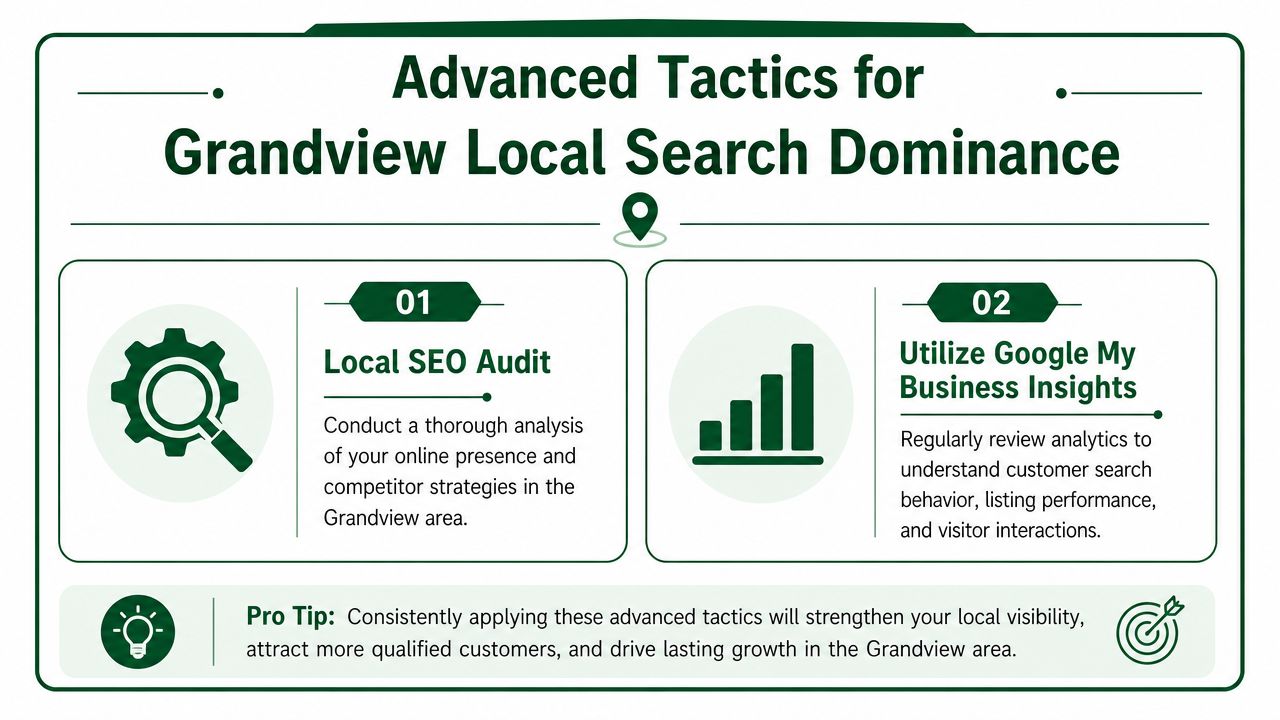
Advanced Tactics to Dominate Grandview Local Search
Most businesses never get past setup. A smaller group gets verified and fills out the basics. Very few use the tactics that make a profile harder to outrank.
Seed your own Q and A before customers do
One of the best underused moves is adding your own common questions to the Q and A section. According to Nullstacks on advanced Google Business Profile optimization, seeding your own questions is fully within Google's guidelines.
That means you can ask the questions customers repeatedly bring up, then answer them clearly yourself. The same source notes a practical range of 8 to 15 genuine customer questions. For a Grandview business, that could include parking, service radius, appointment rules, accessibility, turnaround time, or whether you handle emergency calls.
This gives you two advantages:
- You answer objections before a customer contacts you.
- You reduce the chance that a random user posts a wrong answer first.
If you want more local visibility ideas beyond your profile itself, review local advertising ideas for Grandview businesses.
Connect Google Business Profile with Google Analytics
As of June 2026, Google officially enabled direct integration between Google Business Profiles and Google Analytics, allowing businesses to track seven interaction metrics side by side with website data in a unified dashboard: interactions, website clicks, calls, directions, messages, bookings, and menus, as detailed in Go Big Systems' explanation of the integration.
That's a meaningful upgrade because it connects local profile activity with what people do on your site. The same source explains that you set this up in Google Analytics Admin, under Product links, then Google Business Profile links, and confirm the connection to the correct profile.
If you want to know how to get a Google business listing and make it worth the effort, this is the advanced answer. Don't stop at visibility. Track what the profile produces.
Grandview businesses that show up clearly, verify cleanly, and keep their profiles active usually win more local clicks than businesses that treat Google like a one-time setup task. If you want a local hub for Grandview news, business visibility, and community discovery, visit GrandviewGuide.com.
Refined using Outrank tool